Documentation / Start here
What Attainio is
The idea in one page, who it is for, and how to try it.
Attainio helps secondary school teachers run mock exams on real exam-board past papers and turn the marks into grades and reports. It is a proof of concept, built around GCSE English Language (AQA 8700) and GCSE Maths (Pearson Edexcel 1MA1).
The idea in four steps
- Pick a paper. Choose a past paper from the library. The app links you to the exam board’s own download page; you print it and sit the mock as normal.
- Mark it on paper, the way you always have.
- Enter the marks question by question, by typing, pasting from a spreadsheet, or importing a file.
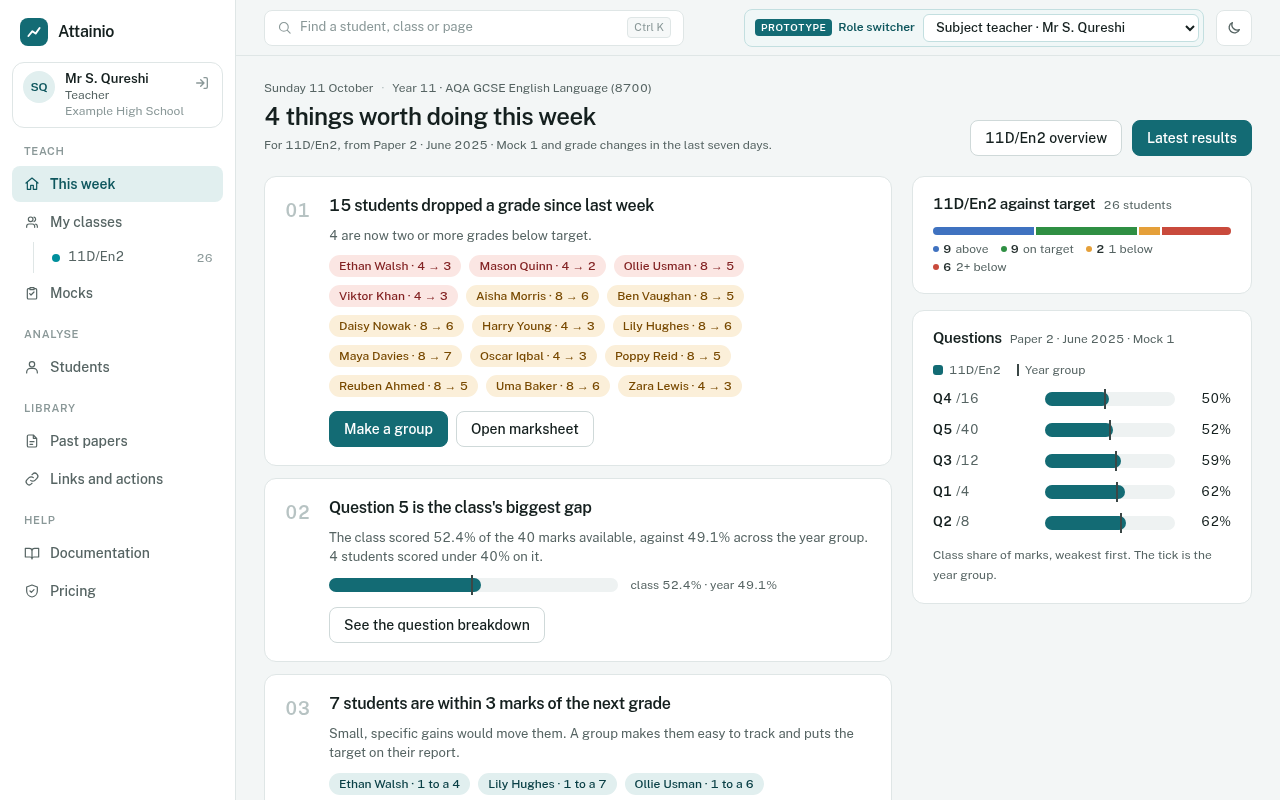
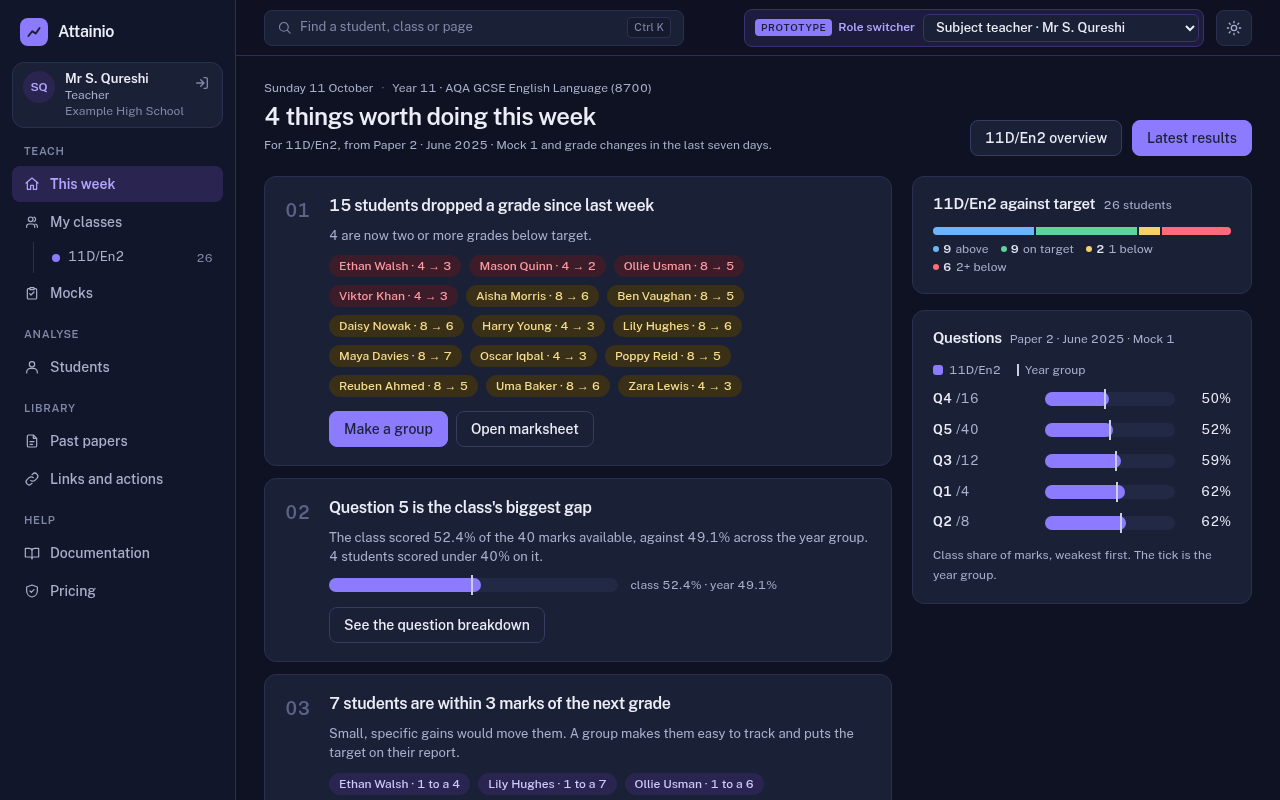
- Get grades and reports straight away. Each student is graded 9 to 1 against that paper’s own grade boundaries. Dashboards update for the class, the subject, the year group, the school and the trust, and one-page reports are ready for students and families.
Who it is for
- Subject teachers: who is struggling, which question the class got wrong, and what to reteach.
- Heads of department: how classes compare and whether the subject is on track.
- Heads of year: one student, or one year group, across every subject.
- Senior leaders: the English and maths headline, and the gaps between groups.
- Trust leads: how schools compare.
- Students and families: what the grade was and what to do next.
Roles and what each person sees explains the menu for each of them.
Trying the demo
The demo school, Example High School, has a Year 11 taking English and maths, with several mocks in each subject. Enter the demo on the sign-in page makes you an English teacher; Viewing as at the top of the menu switches you to the head of year, the deputy head and the others. Each role sees a different menu and lands on a different page.
All pages
Start here
- Getting started: Signing in, the menu, search, and light and dark mode.
- Roles and what each person sees: Teachers, heads of department, heads of year, senior leaders and trust leads.
The mock cycle
- Past papers: The paper library, and why it links to the exam boards instead of hosting papers.
- Setting a mock: Choosing a paper, the three mock tabs, and tiered papers.
- Entering marks: The marksheet, pasting, importing a file, and absences.
- How grades are worked out: Boundaries, working-at, predictions, targets and the status colours.
Reports and dashboards
- Every report at a glance: Which page answers which question, and for whom.
- Teacher views: This week, mock results, classes and students.
- Leader views: Subject, year group, school and trust.
- Reports for students and families: Mock reports, progress reports and the family portal.
- Data collections and exports: Snapshots, publishing, CSV and Sisra.
Acting on the data
- Links, actions and groups: Resources for students, the marksheet tick columns, and intervention groups.
- Grading settings and targets: Boundary series, buffer, tiers, targets and predictions.
Running the school
- Students and classes: Keeping the roll up to date without an MIS: one at a time or by spreadsheet.
About
- Data and privacy: Where data comes from, who can see it, and what we never store.
- Licensing and pricing (draft): What it could cost, what a school saves, and the options: AI, MIS sync and papers.
- Glossary: Every term the app uses, in plain English.